
The first thing an administrator must do before Incident tracking can begin is create the districts. To create districts, click on the Districts sidebar tab. The Districts page will display.
To create a district, click on Add New located on the top right corner of the page. The District Info page will display.

Name
The name of the district can be anything from a formal region, county, or municipality to a municipality’s subdivision or district.
Search For City
When entering the city, a Google Maps city dropdown will appear, when the city on the dropdown appears, the city must be selected from the dropdown.
If the city is only typed and not selected from the dropdown, it could cause issues with the map. If this issue occurs, it can be corrected by editing the district and selecting the city from the dropdown.
Once the city is selected, click on Create District.
Defining District Boundaries
 When Create District is selected, the Defining The District Boundaries popup window appears.
KML Upload
Selecting the KML Upload button will open a new window where a KML file can be uploaded. After the KML is uploaded, shade the districts. Shading each district will make system features work more efficiently. For more details on how to shade a district, go to our Google My Maps Tutorial.
Hand Draw
Selecting the Hand Draw button will activate the Plotting District popup.
Plotting District
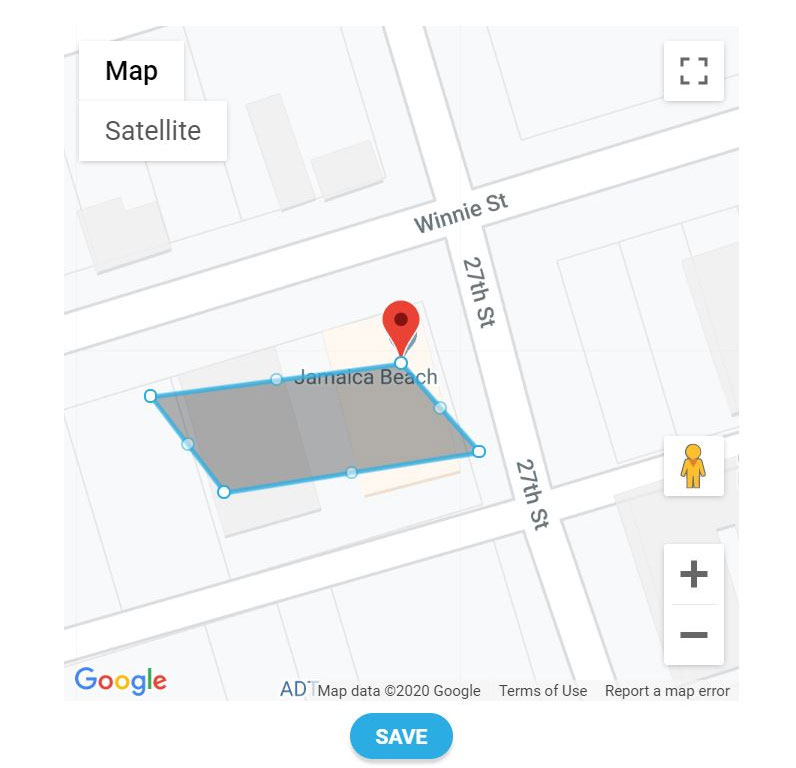
The Plotting District popup displays the map of the city that was entered when creating the district.
A polygon will appear on the map with 4 corner dots and 4 side dots around the polygon. The corner dots of the box will stretch the box in a square pattern. The line dots will bend or stretch the line. As the line dots are moved, other dots will appear allowing the boundary to be drawn correctly.
When the boundaries are completed, click the Save button.