Skip to Content

VerityIMS Documentation

Impact Stages

Clicking on Incident Stages will display the Incident Stages page.
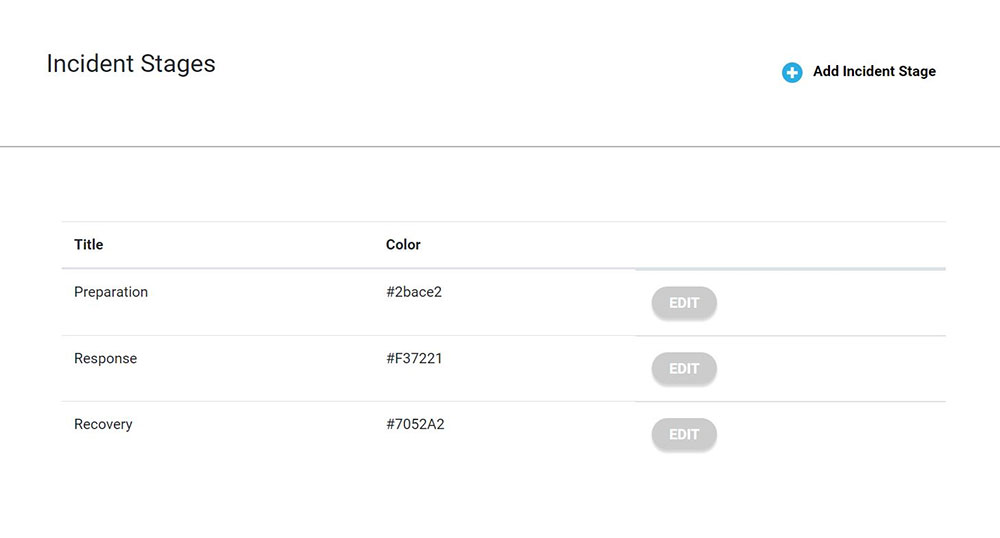
Additional stages can be added by clicking the Add Incident Stage button.

When Add Incident Stage is selected, a new stage can be added by typing in the incident stage name in the designated box.

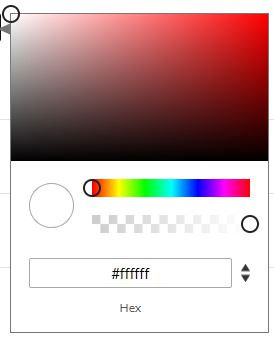
To add a color, click on the color box. A color popup box will appear.

Move the 3 circles to adjust the colors. When the desired color is set, click Save.

Schedule A Demo

Experience the full capabilities of VerityIMS firsthand by scheduling a personalized demo. During the demo, you will see how our powerful incident management system can revolutionize your operations. Our experts will guide you through key features such as real-time monitoring, compliance tracking, and incident reporting, demonstrating how VerityIMS can be tailored to meet your specific industry needs.