
To help Administrators manage the system efficiently, an email notification has been implemented to notify Administrators when certain activity has occurred. The Administrator will receive a notification when the following occurs:
- User Registration
- Business Submission
- Impact Case Submission
- Impact Case Edit
- Request Case Closure
User Registration
Administrators will receive an email notification to approve the users account.
Business Submission
When a business owner or representative creates a business, Administrators will receive an email notification that a business has been created.
Impact Case Submission
When a business owner, representative or business manager creates an impact case, Administrators will receive an email notification that the case was created so administrators can review and open the case.
Impact Case Edit
When a business owner, representative or business manager edits an impact case, Administrators will receive an email notification that the case was edited. An administrator can review the activity log of the case to review who edited the case and what edit was made.
Request Case Closure
Administrators will receive an email notification when a business requests a case closure.
Sending A Notification
As stated in Creating An Incident, Administrators can also send notifications that an incident has been created and that an incident stage has been updated by clicking on the Notifications button on an incident and then clicking on the type of notification.
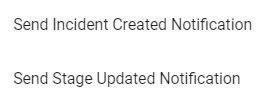
When a notification is sent, all users in the system will receive the notification.